

Staff meeting notice template
Meeting day, time and topic on a calm grey background, for the screen staff see and customers don't.
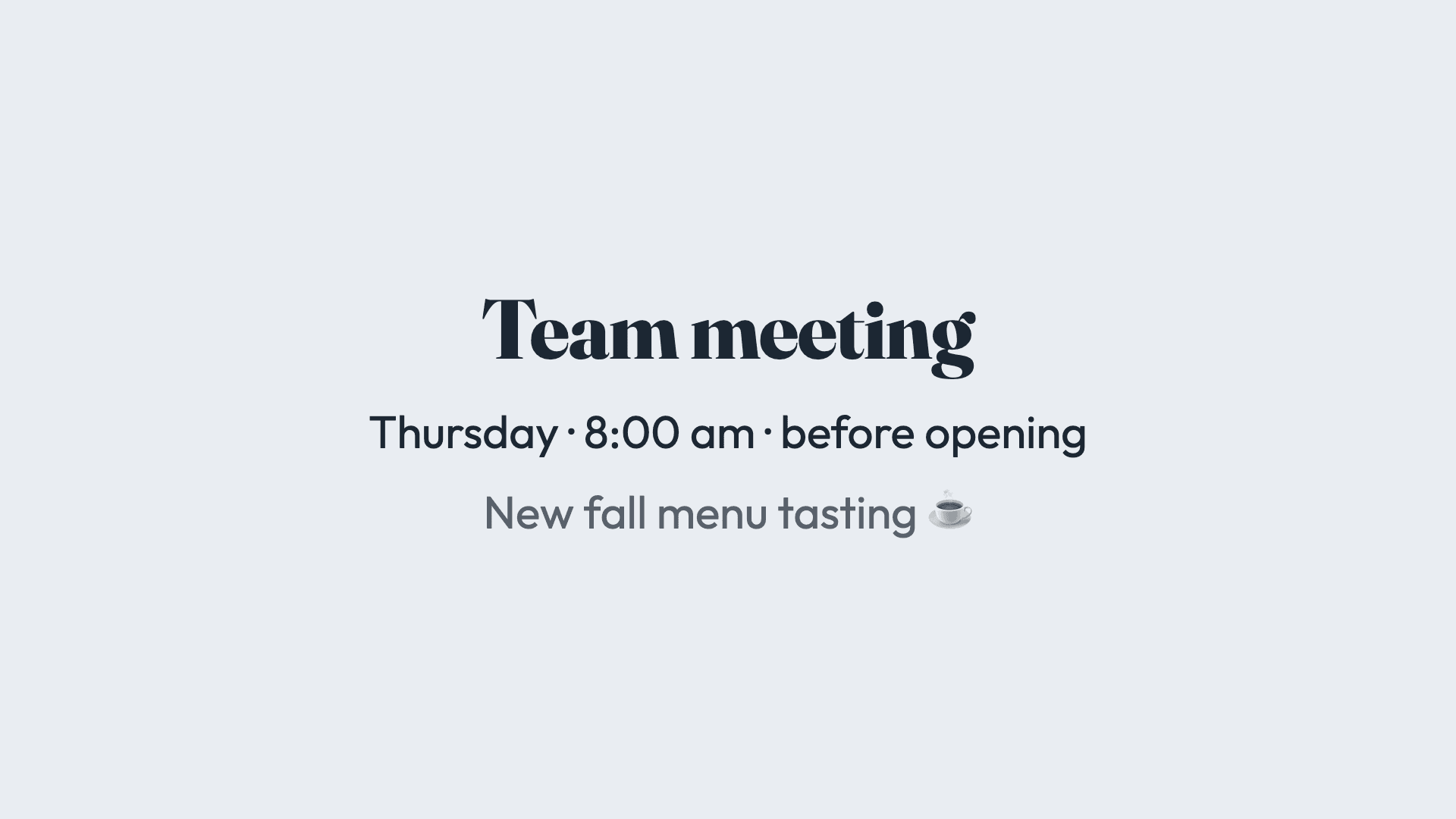
1920×1080 PNG (Full HD, 16:9). Free for your own business, on any screen, in any software.
Download PNGWhat it's for
Notices pinned in the staff room get buried. A slide on the break-room or kitchen screen is seen every shift and can take itself down after the meeting.
The template is deliberately low-key, grey and dark slate, so it reads as an internal notice rather than a promotion. The example is a café's menu tasting, but it suits any team announcement.
What's on it
- Heading "Team meeting"
- When: "Thursday · 8:00 am · before opening"
- Topic: "New fall menu tasting" with a coffee cup
The words are part of the image: change them in any image editor, or rebuild the slide in CastWize with text objects in the colours below.
How to use it in CastWize
- 1
Upload it and add it to a playlist
Download the PNG and upload it in Studio's Media Library. Open a playlist (or create one), click Add slide, choose Image and pick the file. It fills a landscape screen exactly.
- 2
Only on staff screens
Tag the staff-room screen (for example "staff"), then in the slide's Conditions choose that tag as the Required screen tag. The slide plays only there, even if the playlist also runs on customer screens.
- 3
Take it down after the meeting
In the same Conditions tab, set the end date to the meeting day.
- 4
Reuse it
Mark a playlist of staff notices as a template in Studio, and start each new one from a copy.
- 5
Publish
Assign the playlist to your screens and publish. They download the image and show it within seconds, and keep showing it if the internet drops.
Make it yours
- For notices that change weekly, use text objects on this background colour instead of editing the image each time.
- A countdown widget to the meeting time works well under the topic line.
Colours
Use these in a text object's colour and background to match the template.
- Background
#e9edf2 - Heading
#1c2733 - Topic text
#58616b

Put it on a screen today
$5/screen/month, first screen free for 30 days, no credit card required.